
Docs & PDF Editor & Scanner
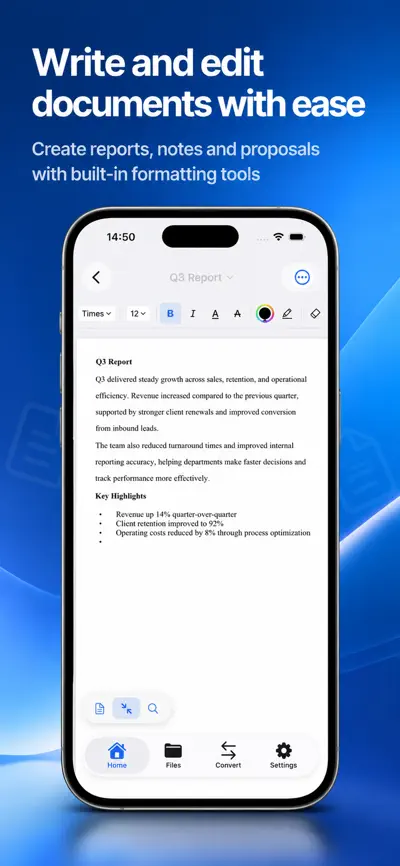
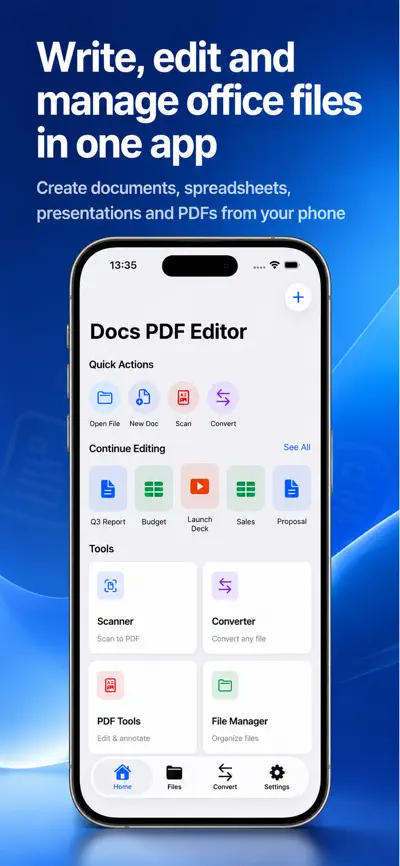
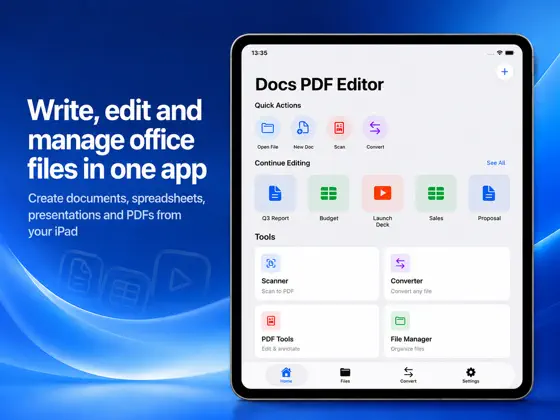
Spreadsheets & Presentations. Docs brings documents, spreadsheets, presentations, PDFs, and a document scanner together in one app. Create new files, open and edit existing ones, convert them to other formats, and manage everything on your iPhone or iPad.

Highlights
- 01
Image to PDF
- 02
Multiple images into one PDF
- 03
PDF to images
- 04
PDF to text
- 05
DOCX to PDF
- 06
XLSX to PDF
From the official App Store description.
Screenshots
iPad
About Docs & PDF Editor
Read the full App Store description
Docs brings documents, spreadsheets, presentations, PDFs, and a document scanner together in one app. Create new files, open and edit existing ones, convert them to other formats, and manage everything on your iPhone or iPad.
The app supports DOCX, XLSX, PPTX, and PDF files, so you can keep working anywhere and share your files with ease.
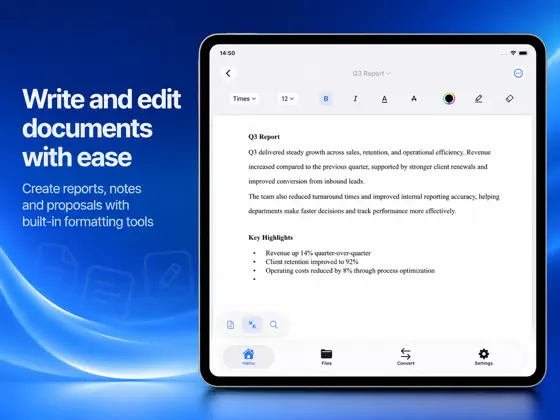
- *Create and edit documents**
Start a new document or open an existing DOCX file and edit it. RTF and TXT files are supported too. Great for reports, letters, resumes, and notes.
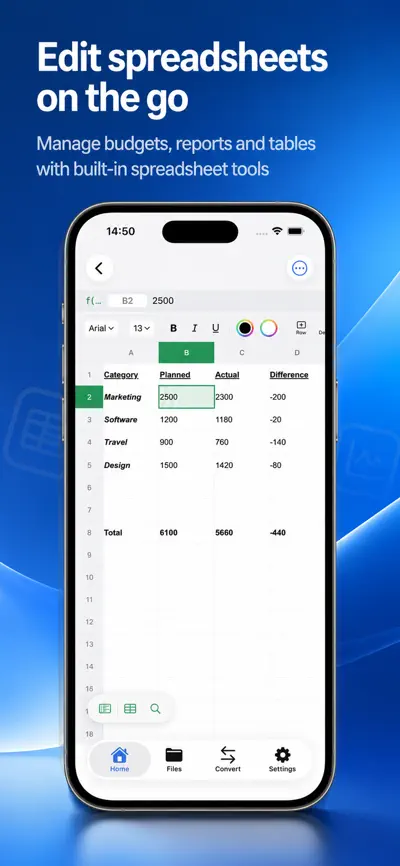
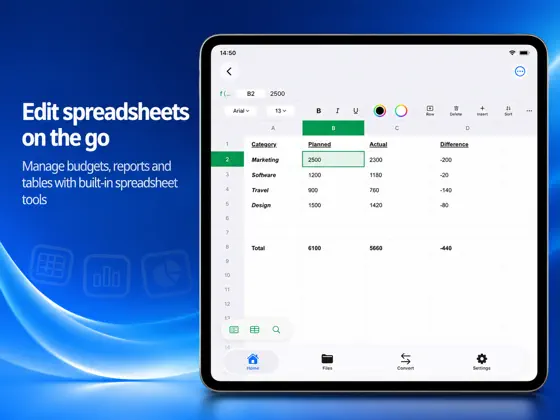
- *Create and edit spreadsheets**
Start a new spreadsheet or open an XLSX file. Keep your data organized and update it wherever you are.
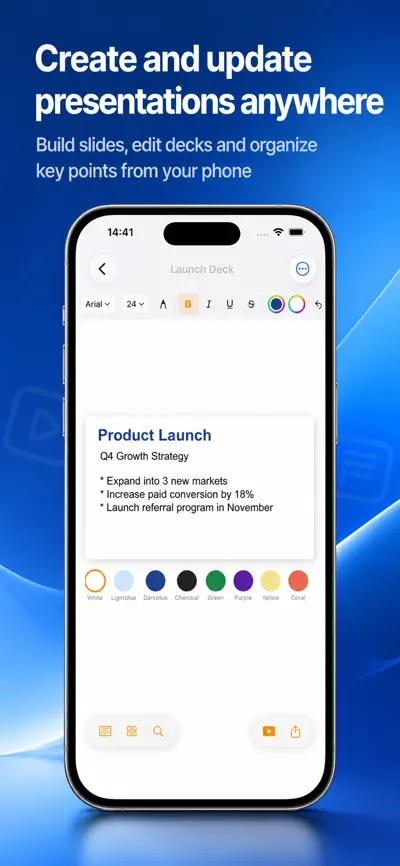
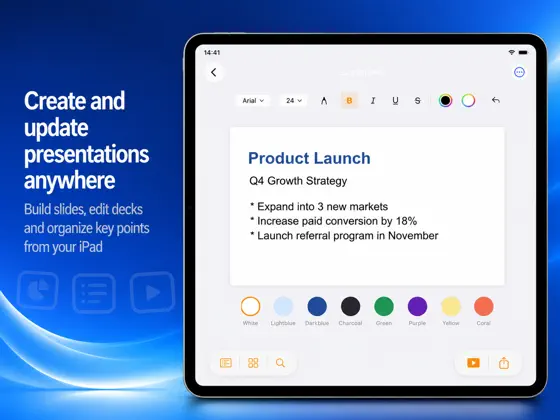
- *Create and edit presentations**
Start a new presentation or open a PPTX file. Build your slides and make changes right from your iPhone or iPad.
- *PDF viewer with annotation and markup**
View PDFs and add annotations and markup to highlight key points, leave comments, and review documents.
- *Document scanner**
Scan paper documents with your camera and save them straight to PDF. Store, organize, and share your scans.
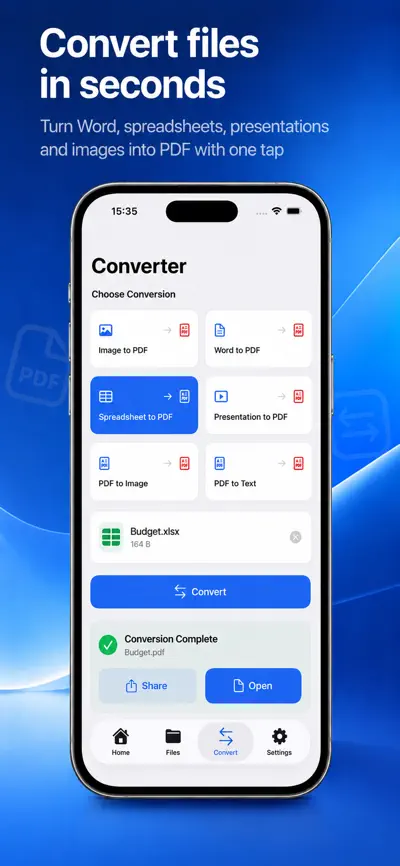
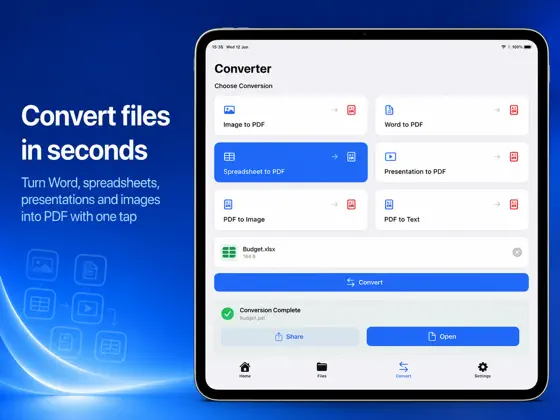
- *File converter**
Convert files between supported formats:
- Image to PDF
- Multiple images into one PDF
- PDF to images
- PDF to text
- DOCX to PDF
- XLSX to PDF
- PPTX to PDF
Free users can watch a rewarded ad to convert one file at no cost. No subscription is required for rewarded conversions.
- *Docs Premium**
Upgrade to Premium for:
- Unlimited file conversions
- An ad-free experience
- Premium PDF tools, including text extraction, page export, and page reordering
Choose a weekly or yearly auto-renewable subscription. Eligible users can start a 7-day free trial with the weekly plan.
Subscriptions renew automatically unless cancelled at least 24 hours before the current period ends. You can manage or cancel subscriptions in your Apple Account settings.
- *File manager**
Rename, duplicate, move, delete, and share your files. Keep all your documents in one place and find them fast.
- *Work offline**
Create, view, edit, and organize supported documents offline. Some features, including rewarded ads and purchases, require an internet connection.
- *Why Docs**
One app for documents, PDFs, scanning, and file conversion. A simple interface for students, professionals, and small business owners.
Download Docs and work on your documents and PDFs anywhere.
What people use Docs & PDF Editor for
- Reports, letters, resumes and notes
- Scanning paper documents to PDF
- Converting Office files and images to PDF
- Students, professionals and small business owners working on iPhone or iPad
From the official App Store description.
Questions and answers
Which file formats does Docs support?
Docs supports DOCX, XLSX, PPTX and PDF files. RTF and TXT documents are supported too.
Can I scan paper documents?
Yes. The document scanner uses your camera to scan paper documents and save them as PDF. You can store, organize and share your scans.
Which file conversions are available?
Image to PDF, multiple images into one PDF, PDF to images, PDF to text, DOCX to PDF, XLSX to PDF and PPTX to PDF.
Can I convert a file without a subscription?
Yes. Free users can watch a rewarded ad to convert one file at no cost. Premium gives unlimited file conversions.
Can I annotate PDFs?
Yes. You can view PDFs and add annotations and markup to highlight key points, leave comments and review documents.
Does Docs work offline?
You can create, view, edit and organize supported documents offline. Some features, including rewarded ads and purchases, need an internet connection.
What does Docs Premium include?
Premium gives unlimited file conversions, an ad-free experience and premium PDF tools, including text extraction, page export and page reordering. It is available as a weekly or yearly auto-renewable subscription; eligible users can start a 7-day free trial with the weekly plan. In-app purchases listed on the US App Store: Docs PDF Editor Premium Yearly ($39.99), Docs PDF Editor Premium Weekly ($4.99).
Which devices does Docs & PDF Editor work on?
Docs & PDF Editor works on iPhone and iPad and requires iOS 17.0 or later, according to its App Store listing.
Answers are based on the official App Store listing (version 1.1.1). Need help with a problem? Visit Docs & PDF Editor support.
Information
- Publisher
- EEB CONSULTANCY LLC
- Category
- Productivity
- Compatibility
- iPhone and iPad · iOS 17.0 or later
- Languages
- 15 languages
Arabic, Chinese, Dutch, English, French, German, Hindi, Indonesian, Italian, Japanese, Korean, Portuguese, Russian, Spanish, Turkish - Age rating
- 4+
- Price
- Free
- In-app purchases
- Docs PDF Editor Premium Yearly — $39.99
- Docs PDF Editor Premium Weekly — $4.99
- Size
- 10.5 MB
- First released
- Aug 10, 2026
Details from the US App Store, checked Nov 17, 2026. Prices can vary by country.
What’s new
We've fixed bugs, improved performance, and made the app smoother and more reliable for everyday use.


